 Xinchuan Server | Enterprise Server Hardware Supplier
The workload table: what this machine is actually for
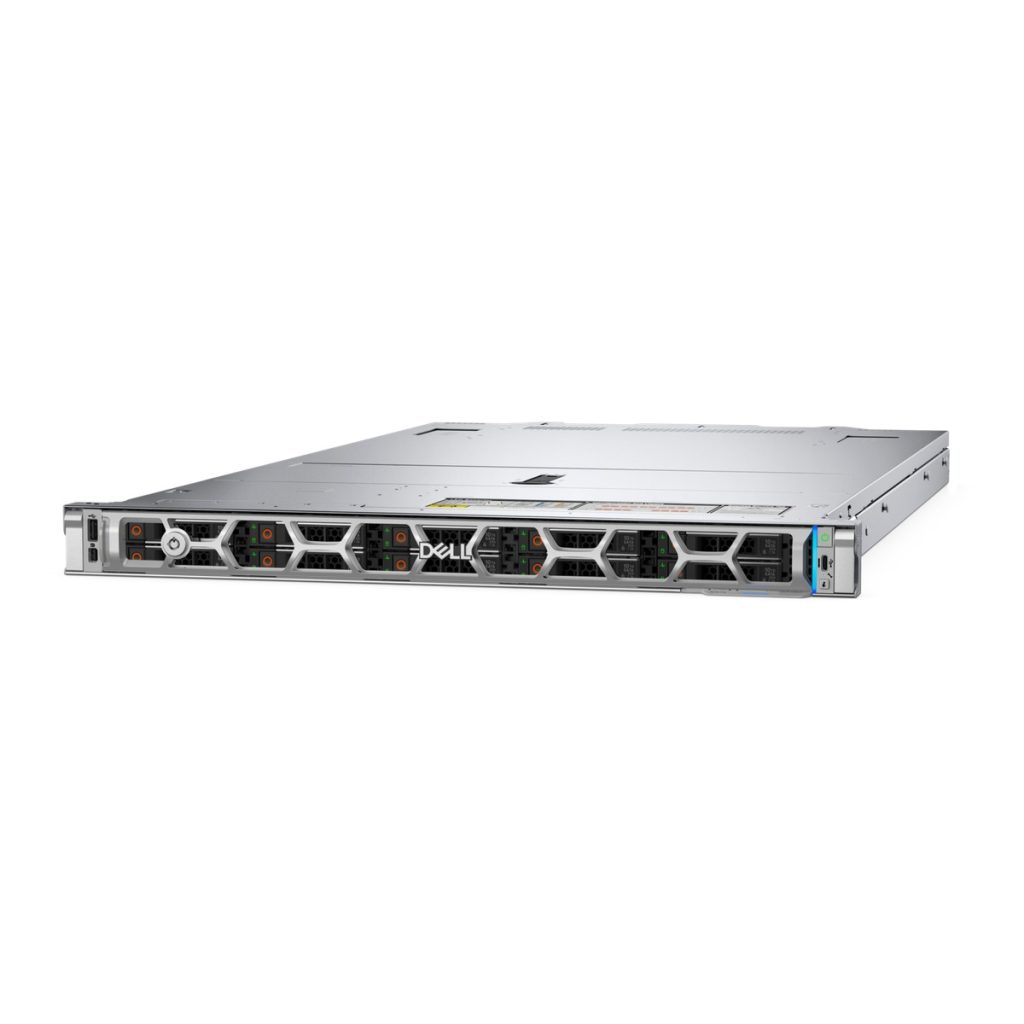
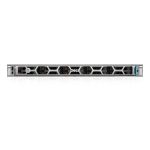
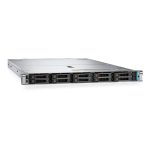
The PowerEdge R470 is a 1U, single-socket rack server built around one Intel Xeon 6 processor. That single sentence decides most of the buying conversation, because everything the R470 is good at follows from it, and everything it cannot do follows from it too. Rather than list features and let you work out the fit, this page starts from the workloads and works backwards to the configuration.
Dell positions the R470 for four workload families: cloud-scale web and application microservices, data services, virtualization, and scale-out databases. Those four are not equally good fits, and they do not need the same node. The table below is the short version of this page.
| Workload family | What it needs from the node | Binding limit on R470 | Typical bay configuration | Verdict |
|---|---|---|---|---|
| Cloud-scale web / microservices | Many small nodes, low memory per node, per-socket licensing sensitivity | None in practice; 16 DIMMs is generous at this node size | 8 × 2.5-inch SATA/NVMe | Strong fit, this is the design centre |
| Virtualization hosts | Memory per node, core count, predictable I/O | 1 TB memory ceiling on E-core SKUs | 8 × 2.5-inch, or 8 × E3.S for all-flash | Good fit up to roughly 25–30 mid-size VMs per node |
| Data services / scale-out databases | Memory first, then local NVMe for the working set | 1 TB ceiling on E-core; 4 TB only with P-core R1S | 16 × E3.S Gen5 | Good fit if the working set fits in 1 TB per node |
| General 2U replacement | Drive count, expansion slots, GPU room | 4 Gen5 slots, 4 × 75 W GPUs, no 3.5-inch standalone | 4 × 3.5-inch only with rear E3.S | Wrong tool, look at R760 or R770 |
Everything below expands these four rows. Where a number comes from Dell’s specification sheet, it is the December 2025 revision. Where a number is our own estimate, it is labelled as an estimate and the assumption is stated, because a purchase decision should not rest on a figure that only looks official.
Cloud-scale web and microservices: the density math
This is the workload the R470 was drawn for. A microservices fleet is not one big machine, it is thirty small ones, and at thirty nodes three things dominate the bill: rack units, power, and per-socket software licensing. A single-socket node improves all three at once.
Why one socket changes the licensing line
Per-socket licensing is the quiet cost in a container platform. If your hypervisor or your database is licensed per socket, a dual-socket 1U node costs twice the licence of a single-socket node with the same rack footprint. At eight nodes the difference is eight licences, not one. Xeon 6 E-core parts let a single socket carry up to 144 cores, which is more cores than most dual-socket nodes carried two generations ago, so the usual argument for the second socket, namely core count, is weaker than it used to be.
The argument that survives is memory. Two sockets give you two memory controllers and twice the DIMM slots. If your workload is core-hungry and memory-light, which is the normal shape of a stateless web tier, the second socket buys you very little and costs you a licence, roughly 140 W of idle draw and one more failure domain per node.
What 144 E-cores buys per rack unit
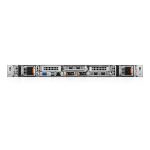
An E-core Xeon 6 in the R470 gives up to 144 cores in 1U. On a web or API tier, where per-core performance matters less than requests per second per watt, that is the right trade. The R470 also ships in rear I/O hot-aisle and front I/O cold-aisle configurations. The front I/O variant puts cabling and service access on the cold side, which is worth having in a dense row where you would otherwise be pulling a node out of the rack to reach a cable. Dell’s own note applies: the front I/O configuration does not take a bezel, so if a security bezel is a compliance requirement, choose rear I/O.
One practical detail for anyone replacing an older 1U fleet: the R470 supports up to two OCP NIC 3.0 cards, either two slots at the front or two slots at the rear (slot numbers 2, 5, 31 and 32). Two OCP slots on a 1U single-socket node is unusual and it matters for a leaf-spine web tier, because it lets you run dual 25 GbE or dual 100 GbE without spending a PCIe slot.
Virtualization: where 16 DIMM slots bind first
Virtualization is the workload where the R470’s ceiling appears earliest, and it is worth being precise about where that ceiling sits, because the answer depends on which processor family you pick.
The 1 TB ceiling on E-core
The R470 has 16 DDR5 DIMM slots and supports registered ECC DDR5 RDIMMs at up to 6400 MT/s. With an E-core Xeon 6 processor, the supported maximum memory is 1 TB. With a P-core processor of up to 86 cores using the R1S option, the supported maximum is 4 TB. The overall platform maximum stated by Dell is 4 TB.
That 1 TB figure is the number that decides most virtualization deals. Sixteen DIMM slots with 64 GB modules gives you 1 TB exactly, fully populated with no room to grow. If you expect the host to carry more than about 25 to 30 mid-size general-purpose VMs, or if you are sizing for a memory reservation policy that leaves headroom, 1 TB per node will bind before the cores do. The cores will still have capacity when the memory is full, and that is an uncomfortable place to be, because the only fix is another node.
When the R1S P-core option changes the answer
The R1S P-core option raises the memory ceiling to 4 TB, and it does so on the same 16 slots, which means the answer changes from module capacity rather than slot count. If your virtualization estate needs 2 TB per host, the R470 can get there with P-core and 128 GB modules, but at that point you should be comparing it honestly against a dual-socket 1U with 32 slots, because the second socket’s real product is memory channels, not cores.
One note that Dell states and that is easy to miss: the installed processor may reduce the operating speed of the DIMM. Do not assume 6400 MT/s across every configuration. The populated-slot count and the processor SKU both affect the achieved speed, and a quote that promises 6400 MT/s on a fully populated node should be checked against the technical guide before it is signed.
Data services and scale-out databases
Data services are the workload where the R470 looks most interesting, because it puts a large amount of local NVMe into 1U without a second socket.
Memory first, then NVMe
A scale-out database node usually wants two things: enough memory to hold the hot working set, and enough local NVMe to hold the rest without going to the network. The R470 gives up to 1 TB of memory on E-core and up to 983.04 TB of raw NVMe in the 16-bay E3.S configuration. Those two numbers are wildly different in scale, which tells you the design intent: the flash is there to be a fast tier behind a memory-resident working set, not to be the working set itself.
If your database node needs 2 TB of memory, this platform is the wrong shape and no amount of drive bays will fix it. If it needs 512 GB to 1 TB of memory and a lot of local flash, the R470 is a very efficient way to get there.
What 16 × E3.S actually holds
E3.S is the EDSFF short drive form factor, and its advantage in 1U is that you fit more drives and more airflow per rack unit than with 2.5-inch carriers. Dell’s stated maximums for the R470 front bays are 491.52 TB for 8 × E3.S Gen5 and 983.04 TB for 16 × E3.S Gen5, with a further 122.88 TB available in 2 × E3.S Gen5 at the rear. Those maximums assume the largest currently supported drive capacities; they are ceilings, not typical builds, and a real quote will land well below them depending on the drives actually available at the time.
For a controller, the R470 offers PERC H365i DC-MHS and front PERC H965i DC-MHS, plus PERC H365i and H965i adapter forms, with HBA465e and H965e available for external shelves. Boot can be handled by BOSS-N1 DC-MHS with hardware RAID 1 across two M.2 NVMe drives, which keeps the front bays entirely free for data. That separation is worth insisting on: a node that boots from a front bay loses a data slot for the life of the machine.
Bay configurations and what each one costs you
The R470 has six front bay options and one rear option, and they are not interchangeable in the way a spec table suggests. Each one trades capacity against something else.
| Front configuration | Drive type | Dell-stated maximum | What it costs you |
|---|---|---|---|
| 8 × E3.S Gen5 | EDSFF NVMe | 491.52 TB | Leaves physical room and airflow for a 400 GbE-class adapter |
| 16 × E3.S Gen5 | EDSFF NVMe | 983.04 TB | Maximum flash density; least room for high-power PCIe cards |
| 8 × 2.5-inch | SATA / NVMe | 491.52 TB | Reuses existing 2.5-inch stock; lower density than E3.S |
| 10 × 2.5-inch (4 universal) | SATA / NVMe | 614.4 TB | Best 2.5-inch capacity; the four universal bays are the flexible part |
| 4 × 3.5-inch | SATA | 128 TB | Only supported together with the rear 2 × E3.S option, not as a standalone front-only build |
| Rear 2 × E3.S Gen5 | EDSFF NVMe | 122.88 TB | Adds a flash tier behind the front bays; a prerequisite for the 4 × 3.5-inch option |
Two of those rows cause more quotation errors than the rest. The 4 × 3.5-inch configuration is not available on its own: Dell states it is only supported with the rear 2 × E3.S drives installed, and it is not supported as a standalone front-only configuration. Anyone quoting a 3.5-inch R470 without the rear E3.S pair is quoting a build that does not exist. And the 10-bay 2.5-inch configuration is not simply the 8-bay with two more drives, because four of the ten are universal bays, which changes what you can mix.
Power, cooling and the five-year bill
The R470 is air-cooled only, with up to four sets of hot-swappable dual fan modules. Dell offers five power supply families, and the choice is driven by the site’s power distribution as much as by wattage.
| Power supply | Input | When it is the right choice |
|---|---|---|
| 800 W Platinum or Titanium | 100–240 VAC or 240 HVDC | Most single-socket builds; near the efficiency sweet spot |
| 1100 W Platinum or Titanium | 100–240 VAC or 240 HVDC | 16 × E3.S plus a high-power network adapter |
| 1500 W Titanium | 100–240 VAC or 240 HVDC | Maximum configuration with accelerators |
| 1500 W Titanium | 277 VAC and HVDC | Sites running 277 V distribution or DC plant |
| 1400 W Titanium | −48 VDC | Telecom and central-office racks |
All of these are hot-swap redundant. A single-supply build is a lab configuration, not something to deploy.
The five-year power bill is where the single-socket argument becomes a number, but it is also where most published comparisons cheat. The honest version requires stating the assumptions, so here they are. Estimate, not a Dell figure: at an assumed steady-state node draw of roughly 280 W for a single-socket node and roughly 420 W for a comparable dual-socket node, at an assumed $0.12 per kWh and 8 nodes running continuously, the five-year electricity difference comes to roughly $7,000 in favour of the single-socket fleet. Change the electricity price, the utilisation or the node count and that number moves proportionally. It is useful as a direction and as a sanity check on a vendor’s claim, not as a line item in a budget.
What is not an estimate is the rack density argument. The R470 is 42.8 mm high, 482 mm wide, and 816.92 mm deep with the bezel (815.14 mm without, 829.44 mm for the front I/O configuration, which has no bezel). At 1U and 42.8 mm, the density comes from the node count you can stack, and the single-socket design is what lets you stack more of them within the same power envelope.
PCIe, OCP and accelerator room
Expansion is where a 1U single-socket node usually disappoints, so the R470’s slot layout is worth reading carefully.
| Resource | R470 capability (Dell specification sheet) |
|---|---|
| PCIe slots | Up to 4 Gen5 slots with x16 connectors: slot 1 as either 1 × x8 Gen5 low profile or 1 × x16 Gen5 full height half length on the rear riser; slots 4, 31 and 32 as 1 × x16 Gen5 full height half length on the rear riser |
| OCP networking | Up to two OCP NIC 3.0 cards, either two front slots or two rear slots (optional); slot numbers 2, 5, 31, 32 |
| Embedded NIC | 1 Gb dedicated BMC Ethernet port |
| GPU | Up to 4 × 75 W single-width |
| DPU | NVIDIA BlueField-3 2 × 200 GbE B3220 |
| Storage controllers | PERC H365i DC-MHS, front PERC H965i DC-MHS, PERC H365i adapter, PERC H965i adapter; external HBA465e and H965e |
| Boot | BOSS-N1 DC-MHS with hardware RAID 1 across 2 × M.2 NVMe, or M.2 interposer with up to 2 × M.2 NVMe, or USB |
| Management | iDRAC, iDRAC Direct, iDRAC RESTful API with Redfish, RACADM CLI, iDRAC Service Module |
The 75 W GPU limit is the line that matters most. Four single-width 75 W cards is a useful amount of inference or video transcode capacity, and it is more than most 1U single-socket nodes offer. It is not a platform for 300 W or 450 W accelerators. If your workload needs a large accelerator, this is a 2U conversation and the R770 is the platform to look at.
Security features are the same set Dell lists across this generation: cryptographically signed firmware, data at rest encryption with SEDs under local or external key management, Secure Boot, Secured Component Verification, Secure Erase, Silicon Root of Trust, System Lockdown (which requires iDRAC10 Enterprise or Datacenter), TPM 2.0 with FIPS and CC-TCG certification, and chassis intrusion detection. System Lockdown is the one that is licensed, so if a compliance framework requires it, the iDRAC tier is part of the bill, not an optional extra.
Where the R470 loses
A page that only lists strengths is a brochure. These are the situations where the R470 is the wrong purchase.
- You need more than 1 TB of memory per node on E-core. The ceiling is real, and it arrives before the core count does. Move to the P-core R1S option for 4 TB, or move to a dual-socket platform with 32 slots.
- You need a large accelerator. 4 × 75 W is the ceiling. Anything in the 300–450 W class belongs in 2U.
- You need 3.5-inch drives as the primary storage. The 4 × 3.5-inch configuration only exists alongside the rear 2 × E3.S pair, and it is not a standalone front-only build. If bulk 3.5-inch capacity is the requirement, this is not the chassis.
- You need more than four PCIe slots. Four Gen5 slots is generous for 1U, but it is still four.
- You need liquid cooling. The R470 is air-cooled only. Dell offers direct liquid cooling on other platforms in this generation, not on this one.
Four configurations worth quoting
These are starting points, not catalogue builds. Each one assumes BOSS-N1 for boot so that all front bays stay available for data.
| Build | Processor | Memory | Storage | Networking | Power |
|---|---|---|---|---|---|
| Web tier node | Xeon 6 E-core, mid-range core count | 256–512 GB across 8 DIMMs, room to grow | 8 × 2.5-inch SATA SSD | 2 × 25 GbE OCP 3.0 | 800 W Platinum |
| Virtualization host | Xeon 6 E-core, high core count | 768 GB–1 TB, 16 DIMMs populated | 8 × 2.5-inch mixed SATA/NVMe | 2 × 25 GbE OCP 3.0 | 1100 W Titanium |
| Scale-out database node | Xeon 6 P-core, R1S option | 1–2 TB, module capacity permitting | 16 × E3.S Gen5 NVMe | 2 × 100 GbE OCP 3.0 | 1500 W Titanium |
| Edge inference node | Xeon 6 E-core | 512 GB | 8 × 2.5-inch NVMe | 2 × 25 GbE OCP 3.0 | 1100 W Platinum |
Two of these builds sit close to a limit and should be checked before quoting. The virtualization host at 1 TB is at the E-core ceiling with all 16 slots full, so there is no growth path without a processor change. The database node at 2 TB requires the P-core R1S option, because the E-core ceiling is 1 TB. Both are fine decisions; they are just not decisions to discover after delivery.
Frequently asked questions
Is the PowerEdge R470 a single-socket or dual-socket server?
Single-socket. It takes one Intel Xeon 6 processor, either an E-core part with up to 144 cores or a P-core part with up to 86 cores using the R1S option. There is no second socket option on this platform.
How much memory can the R470 actually take?
16 DDR5 DIMM slots, registered ECC RDIMM only, up to 6400 MT/s. With an E-core processor the supported maximum is 1 TB. With a P-core processor of up to 86 cores using the R1S option the supported maximum is 4 TB. Dell states the platform maximum as 4 TB.
Can I run 2 TB of memory on an E-core R470?
No. The E-core supported maximum is 1 TB regardless of module size. Reaching 2 TB or more requires the P-core R1S option.
What is the largest number of E3.S drives the R470 supports?
16 × EDSFF E3.S Gen5 NVMe at the front, stated at a maximum of 983.04 TB, plus 2 × E3.S Gen5 at the rear stated at a maximum of 122.88 TB. The 8-bay front option is stated at 491.52 TB.
Does the R470 support 3.5-inch drives?
Yes, up to 4 × 3.5-inch SATA with a stated maximum of 128 TB, but only when the rear 2 × E3.S drives are also installed. Dell explicitly states it is not supported as a standalone front-only configuration, so a 3.5-inch build always includes the rear E3.S pair.
How many GPUs fit in an R470?
Up to 4 × 75 W single-width GPUs. There is no support for 300 W or 450 W class accelerators on this platform.
Is the R470 liquid cooled?
No. The R470 is air-cooled only, with up to four sets of hot-swappable dual fan modules. Direct liquid cooling is available on other PowerEdge platforms in this generation, not this one.
What power supplies are available?
800 W Platinum or Titanium, 1100 W Platinum or Titanium, and 1500 W Titanium, all at 100–240 VAC or 240 HVDC; 1500 W Titanium at 277 VAC and HVDC; and 1400 W Titanium at −48 VDC. All are hot-swap redundant.
How many PCIe slots does the R470 have?
Up to four Gen5 slots with x16 connectors. Slot 1 can be configured as a single x8 Gen5 low-profile slot or a single x16 Gen5 full-height half-length slot on the rear riser; slots 4, 31 and 32 are each a single x16 Gen5 full-height half-length slot on the rear riser.
How many OCP network cards can I install?
Up to two OCP NIC 3.0 cards, either two slots at the front or two slots at the rear. The slot numbers are 2, 5, 31 and 32. There is also a 1 Gb dedicated BMC Ethernet port for management.
What is the difference between the rear I/O and front I/O configurations?
Rear I/O puts ports in the hot aisle; front I/O puts them in the cold aisle, which shortens maintenance time because cabling and service access are on the side you already work from. The front I/O configuration does not accept a bezel, so if a security bezel is required, choose rear I/O.
Does the R470 support Redfish and iDRAC10?
Yes. Management includes iDRAC, iDRAC Direct, the iDRAC RESTful API with Redfish, RACADM CLI and the iDRAC Service Module. System Lockdown requires iDRAC10 Enterprise or Datacenter.
Which operating systems are supported?
Dell lists Canonical Ubuntu Server LTS, Red Hat Enterprise Linux, SUSE Linux Enterprise Server, VMware ESXi, Windows Server and Windows Server Datacenter. Interoperability details should be checked against Dell’s OS support matrix for the specific version.
Is the R470 a good replacement for an older dual-socket 1U fleet?
It depends on why the second socket was there. If it was there for cores, an E-core Xeon 6 single socket likely covers it. If it was there for memory capacity, check the 1 TB E-core ceiling carefully before committing, because 16 slots fully populated is a hard stop.
Related PowerEdge models
The R470 sits between the entry 1U R360 and the dual-socket 1U R670. If the memory ceiling is the blocker, the R670 gives you 32 DIMM slots and 8 TB. If rack density and 2U expansion matter more than socket count, the R760 and R770 are the next step up. For AMD-based single-socket 2U builds, the R7715 and R7725 are the comparable platforms.
- PowerEdge R360 — entry 1U single-socket
- PowerEdge R660 — 1U dual-socket, 4th and 5th Gen Xeon Scalable
- PowerEdge R670 — 1U dual-socket Xeon 6, 32 DIMMs, up to 20 × E3.S
- PowerEdge R760 — 2U dual-socket
- PowerEdge R770 — 2U dual-socket Xeon 6
- PowerEdge R860 — 2U four-socket
- PowerEdge R7715 — 2U single-socket AMD EPYC 9005
- PowerEdge R7725 — 2U dual-socket AMD EPYC 9005
Specifications on this page follow Dell’s PowerEdge R470 specification sheet, December 2025 revision. Figures labelled as estimates are our own calculations and are stated with their assumptions. Configuration availability and drive capacities should be confirmed against the current Dell configurator before a purchase order is raised.