 Xinchuan Server | Enterprise Server Hardware Supplier
Your Server Has 24 Drive Bays. Three Are Wasted on Boot Drives. Here Is How to Fix That.
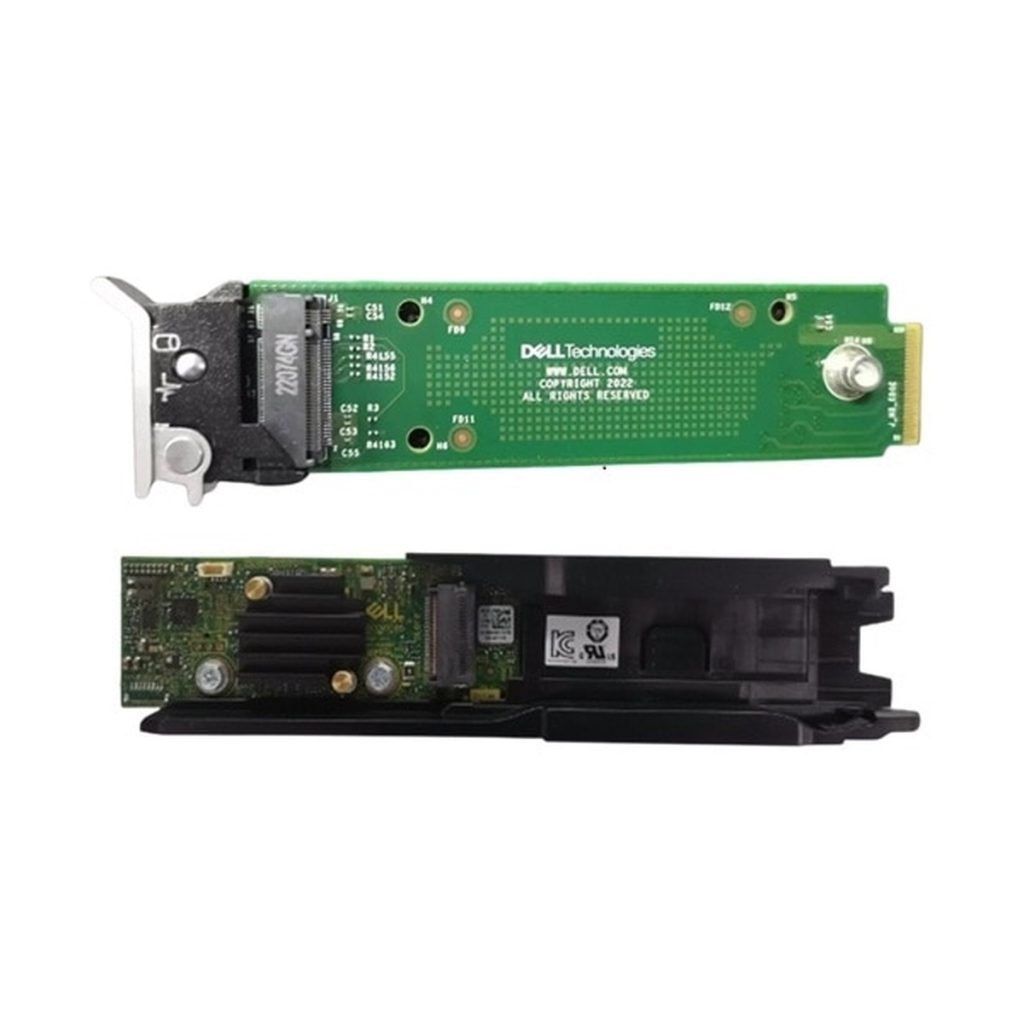
Walk through any data center and count the 2.5-inch front-panel bays occupied by 240 GB SATA SSDs acting as ESXi boot volumes. In a 12-server cluster, that is 36 drive bays — roughly $15,000 worth of storage slots — devoted to operating system binaries that rarely change and consume less than 32 GB. The Dell BOSS-N1 solves this by moving the boot drives to a dedicated PCIe card with dual hot-pluggable M.2 NVMe SSDs, freeing every front-panel bay for data storage.
Technical Specifications
| Parameter | Specification |
|---|---|
| Model | Dell BOSS-N1 (Boot Optimized Storage Solution, Monolithic) |
| Interface | PCIe 4.0 x2 (host), dual M.2 NVMe slots (internal) |
| Drive Support | 2x M.2 2280 NVMe SSDs (80mm), hot-pluggable from rear of server |
| Pre-Installed Capacity Options | 2x 240 GB, 2x 480 GB, or 2x 960 GB M.2 NVMe SSDs |
| RAID Support | RAID 1 (hardware mirror) via BOSS controller — transparent to OS |
| Form Factor | Half-height, half-length (HHHL) PCIe card |
| Management | iDRAC9 integrated — drive health, RAID status, predictive failure alerts |
| Hot-Plug | Yes — both M.2 drives accessible from rear panel, replace without powering down |
| OS Support | VMware ESXi 7.0 U3+, 8.0+ | Windows Server 2019/2022/2025 | RHEL 8.6+/9.x | SLES 15 SP4+ | Ubuntu 20.04/22.04/24.04 |
| Power | ~6W typical (both drives active) |
| Physical | 168 x 69 mm (standard LP PCIe card) |
| Compatible Platforms | PowerEdge R660, R760, R770, R7715, R860, R960, XE9680 (16th Gen) |
| Warranty | 3-year (with server) |
Why the BOSS-N1 Beats Front-Panel Boot Drives
| Factor | 2x 240GB SATA SSD in Front Bays | BOSS-N1 with 2x 480GB M.2 |
|---|---|---|
| Front-panel bays consumed | 2 | 0 (internal card) |
| Capacity usable for boot | 240 GB (RAID 1) | 480 GB (RAID 1, hardware) |
| Hot-plug replaceable | Yes (front bay, but requires removing bezel) | Yes (rear panel, tool-less) |
| I/O speed | SATA 6 Gb/s (~550 MB/s) | NVMe PCIe 4.0 (~3,500 MB/s) |
| Boot time (ESXi 8.0) | ~45 seconds | ~20 seconds |
| iDRAC monitoring | Standard drive health | BOSS-specific health, RAID status, predictive failure |
| PCIe slot consumption | 0 | 1 (PCIe x2, uses few lanes) |
The ROI on Freeing Two Drive Bays
Two 2.5-inch front-panel bays repurposed from boot to data storage can hold 2x 7.68 TB NVMe SSDs — delivering 13.8 TB of usable RAID 10 data storage per server. In a 12-node vSAN cluster, that is an incremental 165 TB of data storage without adding a single server. The BOSS-N1 itself costs roughly the same as two 240 GB SATA SSDs. The ROI is not in the BOSS card — it is in the 15 TB of storage capacity that the BOSS card unlocks by freeing the front bays.
Compatible Server Platforms — Check Before Ordering
The BOSS-N1 is available on all Dell PowerEdge 16th Gen servers (R660, R760, R770, R7715, R860, R960, XE9680). It occupies a dedicated internal PCIe slot on most platforms — on the R660 and R760, it does not consume a general-purpose PCIe expansion slot. On the R770, verify that the internal slot is available if the server is configured with other internal PCIe devices. Not compatible with 14th Gen (R640, R740) or 15th Gen (R650, R750) — those use BOSS-S2 (SATA-based, non-NVMe).
Source Through Xincuan
We ship Dell PowerEdge servers with BOSS-N1 pre-installed and configured. competitive pricing, 3-year warranty on new units and a 12-month warranty on refurbished units, and global shipping.
Request a BOSS-N1 configured server quote
Related models
Frequently asked questions
What cache and interface does it use?
Listed specification: Dual M.2 NVMe Boot Optimized Server Storage. Cache size, host interface and battery or supercap option are confirmed on the quotation.
Which servers is it compatible with?
Send the server model and backplane type. We confirm slot, cable kit and whether the battery is included before shipping.
Is the battery or supercap included?
It depends on the part number. Where the battery is a separate item it is quoted as its own line, so the price stays transparent.
Can you confirm part number and condition before I order?
Yes. Before the order we send the exact part number, condition and, where relevant, the firmware level, for your written confirmation.
How are warranty and lead time handled?
Warranty for this part and the lead time are stated on the quotation. For array or cluster builds we align the warranty across all line items.