 新川サーバー | エンタープライズ サーバー ハードウェア サプライヤー
Consolidation Is a Math Problem Before It Is a Migration
Every data center has the same inventory: ten racks of aging 1U servers, each running a few virtual machines at 15-20% CPU, each drawing power, each burning a vSphere license, each needing patching. Consolidation looks simple – buy fewer, bigger servers – yet most consolidation projects fail on one of two rocks: they under-size memory or they over-estimate density. This guide turns consolidation into a three-step decision framework with the numbers to defend it.
Step 1 – Profile the Fleet, Not the Servers
Pull 90 days of metrics (vCenter/OpenManage) and classify each VM by its binding constraint:
- CPU バウンド: sustained high utilization, bursty (CI/CD, 与える, 分析).
- Memory-bound: idle CPU but maxed RAM (Java, SQL, VDI gold images).
- IO-bound: high IOPS but low CPU (データベース, logging, message queues).
- Static: <5% CPU for 90 days – the prime consolidation target.
Memory is the constraint that bites: a CPU-dense target platform can run out of RAM long before it runs out of cores. Size the target by memory first, then verify CPU headroom.
Step 2 – Density Math on the Target Platform
| Legacy 1U fleet (example) | Consolidated Xeon 6 target |
|---|---|
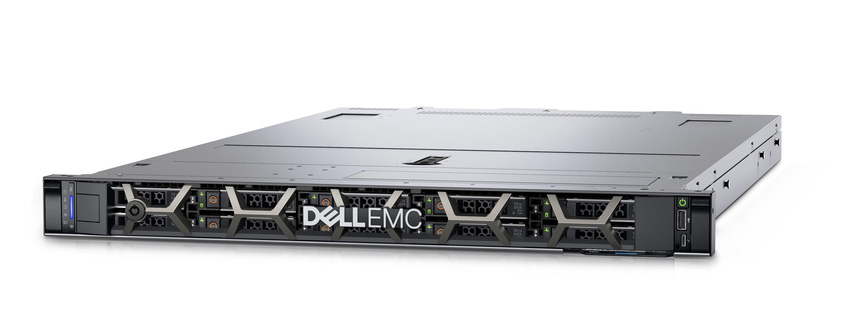
| 10x 1U, 2x Xeon Gold 6230R (40 コア), 256GB DDR4 | 3バツ R670, 2×ゼオン 6 (86 P-cores each, 172 per node), 1.5TB DDR5 |
| 400 コア / 2.56TB aggregate | 516 コア / 4.5TB aggregate (+29% コア, +76% メモリ) |
| ~4.5kW typical fleet draw | ~1.4kW typical (3 nodes) |
| 10U rack space, 20x 25GbE ports | 3う, 6x 25GbE ports |
Step 3 – The 5-Year TCO Statement
Using the fleet above, at $0.12/kWh and 8,760 hours a year:
- 力: legacy 4.5 kW x 8760 バツ 5 = ~197,100 kWh (~$23,650); target 1.4 kW = ~61,300 kWh (~$7,360). Saving: ~$16,300 over 5 年.
- vSphere licensing: CPU-socket licenses drop from 20 sockets to 6 – typically the single largest saving on modern licensing.
- Patching and admin: 10 nodes to 3 nodes – roughly a 70% cut in patch windows, firmware cycles and rack cabling.
- 冷却: power saved is cooling saved; budget a further 0.5-0.9 kW of heat removal per kW removed.
Total 5-year saving for this example lands between $35k and $70k depending on licensing – before counting the freed rack space that delays the next data center expansion.
When NOT to Consolidate
| Situation | Why not |
|---|---|
| GPU/AI training nodes | Accelerators don’t virtualize cleanly; keep physical or use vGPU with separate sizing. |
| Compliance/security isolation | Multi-tenant on one host can fail PCI/SOC2 scope boundaries. |
| Geographically distributed edge | Latency and WAN resilience beat density at the edge. |
| Legacy OS (Windows 2008, RHEL 6) | Unsupported guest OS limits migration tooling and hypervisor support. |
Migration Plan: 10-to-3 in Four Weeks
- Week 1: vMotion test VMs to the first R670; validate CPU steal, memory pressure and latency targets.
- Week 2: move batch/static workloads (non-critical first); keep the last legacy node as a staging target.
- Week 3: move databases on a maintenance window with rollback snapshots; use the R670’s DDR5 6400 MT/s and E3.S Gen5 NVMe for IO-bound guests.
- Week 4: decommission legacy nodes in waves – verify backups, wipe storage, reclaim rack space and power.
Rollback is simple if the cluster keeps one legacy node online until the cut-over window closes.
Memory Constraint Deep Dive: Why RAM Decides the Ratio
Server consolidation fails most often on memory. A 172-core target node looks enormous until the fleet’s Java services and database caches demand 700GB of working set. Plan memory with three numbers:
- Aggregate guest memory: sum of VM memory reservations plus average usage – not configured size. vCenter metrics give you the honest number; configured sizes over-provision by 30-50%.
- Overcommit ratio: virtualization platforms commonly overcommit CPU 4-8x but memory only 1.2-1.5x. Plan memory as if it cannot be overcommitted.
- Slot strategy: R670/R770 have 32 DDR5 slots. 1DPC (16x 128GB = 2TB) runs at full 6400 MT/秒; 2DPC doubles capacity but drops speed. For consolidation, capacity wins – 2TB per node at 5600-class speed is the better trade for mixed fleets.
If aggregate guest memory exceeds 4TB per node, step up to the 4-socket R860/R960 class (64 DDR5 slots, 16結核) instead of squeezing more VMs onto a 2-socket node.
Consolidation Risks and Mitigations
| Risk | Symptom | Mitigation |
|---|---|---|
| CPU steal | Guest latency climbs though host CPU shows headroom | Keep overcommit below 4x; watch steal% in vCenter after each migration wave |
| Memory pressure | Ballooning, swapping, OOM | Reserve 20% headroom; migrate memory-bound guests first so the target is sized before peak |
| IO saturation | Storage latency spikes at 17:00 batch jobs | Land IO-bound guests on E3.S Gen5 NVMe bays; use separate datastores per IO class |
| Rollback complexity | Failed cut-over strands workloads | Keep one legacy node online until the maintenance window closes; snapshot before every database move |
Consolidation FAQ
- How many VMs per R670? Rule of thumb: 15-25 typical VMs per node for CPU-light fleets, fewer for memory-heavy ones – size by memory, not by count.
- Does consolidation affect DR? はい – fewer hosts means fewer replication targets; re-validate DR runbooks and replica sizing after the move.
- Is consolidation safe for production databases? はい, with a window: スナップショット, migrate, validate latency and rollback scripts, then cut over – Dr5 6400 MT/s and NVMe usually make the database faster, not slower.
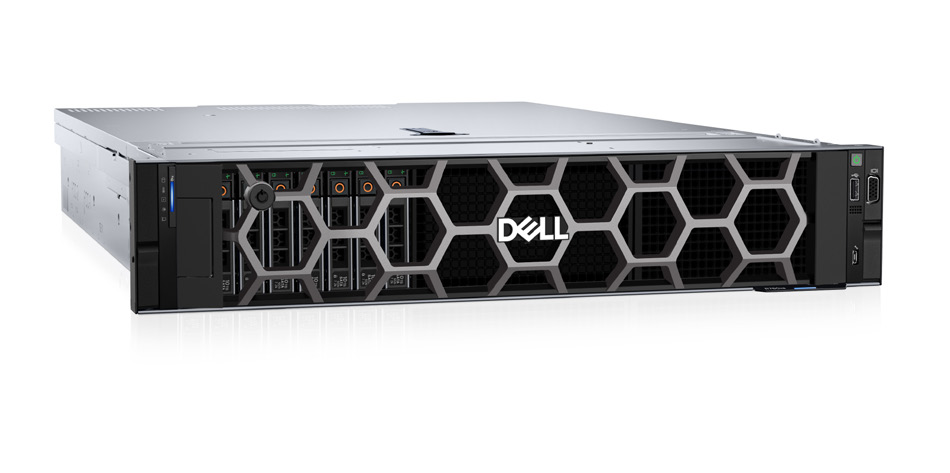
- Can we mix 1U and 2U targets? はい; 2U targets (R760/R770) make sense for IO-heavy and GPU-assisted workloads, 1U for everything else – consolidation is a fleet-level ratio, not a single form factor.
Acceptance Checklist: How You Know Consolidation Worked
- CPU steal below 3% on every target node during batch peaks – above that, the ratio was too aggressive.
- Memory ballooning near zero: no guest swap or balloon for 30 days after the final wave.
- Application latency at or below legacy baseline – faster is common with DDR5 6400 MT/s and Gen5 NVMe, never slower.
- Power drop confirmed at the PDU: measure before and after at the breaker, not the label – the fleet should draw roughly a third of the pre-migration power.
- Documented rollback: every migration wave has a dated rollback entry that was actually rehearsed.
Once the numbers pass, the physical move is the easy part – the hard work was the profiling and the sizing. Consolidation done right is invisible: the same workloads, a third of the hardware, and a TCO statement the CFO can sign.
Choosing the Target Platform
- General virtualization: R670 – 2×ゼオン 6, 32 DDR5 slots, 8-20x E3.S Gen5, 2X OCP NIC 3.0.
- Database/VDI: R760 – 2x Xeon 4th/5th, 32 Dr5 5600 MT/秒, 24x NVMe U.2.
- IO-heavy storage workloads: R760XS class – NVMe-optimized bay layout.
- Memory-scale consolidation: R860/R960 – 4 sockets, 64 DDR5 slots, up to 16TB.
Planning a consolidation? As an authorized Dell partner we size Xeon 6 platforms from your vCenter metrics, quote with factory-direct pricing and 3-year warranty, and ship globally with free configuration consultation – including a density workbook for your exact fleet, with per-VM memory and CPU profiles pulled straight from your hypervisor metrics. Contact us to start the profiling step.