 Xinchuan 서버 | 엔터프라이즈 서버 하드웨어 공급업체
Why Your 100GbE NIC Never Runs at 100GbE
Every network team has met the same ghost: the 100GbE link that benchmarks at 60-70 Gb/s, the firmware that resets under load, the OCP slot that “should have” taken the card. None of it is magic – it is the difference between installing a NIC and configuring a network path. This guide walks the four days that turn a PowerEdge server into a properly tuned network node: 낮 0 planning, 낮 1 hardware and cabling, 낮 2 구성, 낮 3 validation.
낮 0 – Planning: 롬, OCP NIC 3.0, or PCIe NIC?
| Path | Typical speed | 사용 |
|---|---|---|
| 롬 (LAN-on-motherboard) | 1GbE BASE-T | 관리 / iDRAC-dedicated / low-speed out-of-band |
| OCP NIC 3.0 중 이층 | 10/25/100/200나르다 | Primary fabric for most builds; hot-swap friendly, keeps PCIe slots free |
| PCIe Gen5 NIC | 100/400나르다 | High-lane-bandwidth NICs and DPU class cards |
On the Xeon 6 generation – R670 and R770 – Dell ships OCP NIC 3.0 as the primary fabric: two mezzanine slots on front-I/O builds, 후면 I/O에 하나, spanning 1GbE through 400GbE card options. The iDRAC management port stays independent, so the fabric path is not shared with management traffic.
낮 1 – Hardware and Cabling: QSFP28 Reality
- QSFP28 optics: 100GbE over QSFP28; match the transceiver module to the NIC and switch vendor support lists – mixing vendor-locked optics is the classic source of “link up, no traffic”.
- Cable classes: DAC (수동적인, short rack-internal runs), AOC (active optical, up to ~100m), LR4 optics (long haul). Order DAC for same-rack, AOC for cross-rack, LR4 for inter-rack distances.
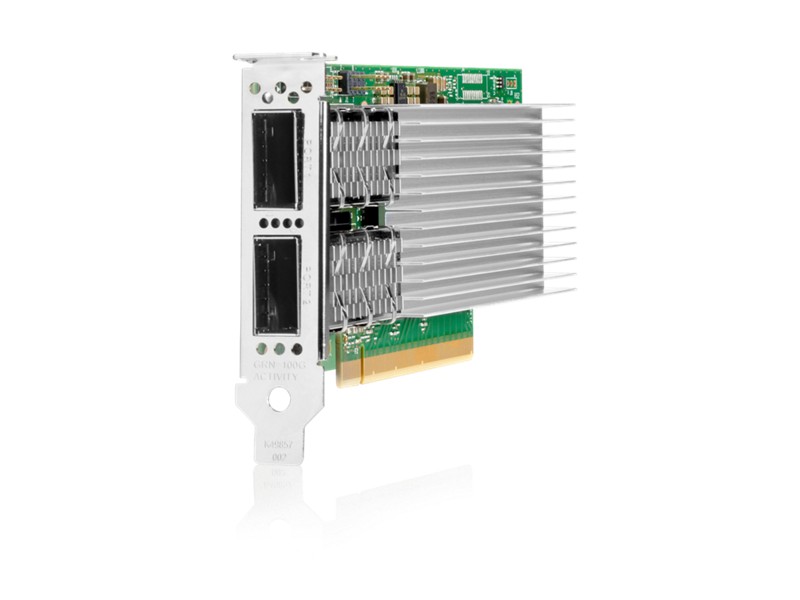
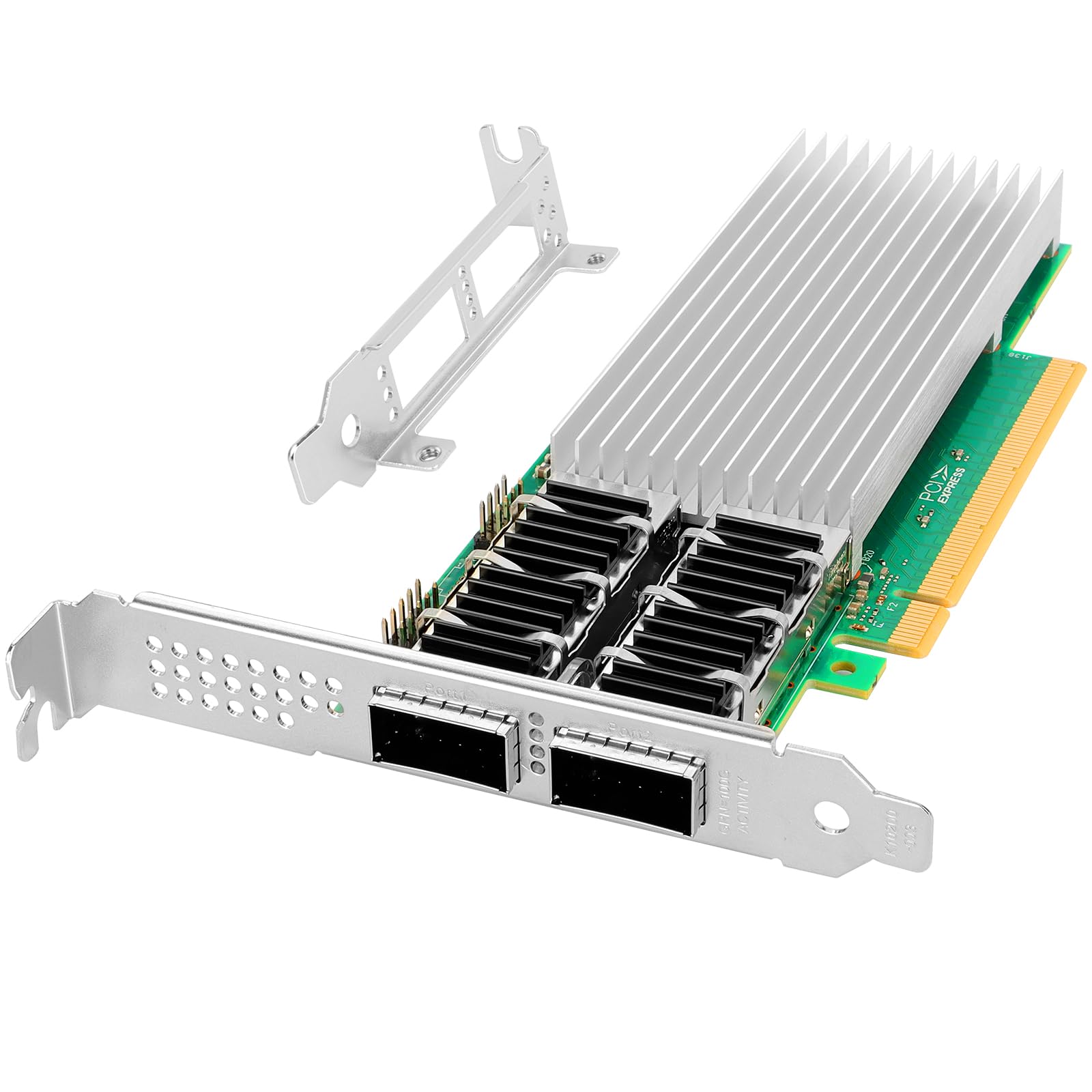
- Dual-port by default: run two 100GbE paths (예를 들어. 인텔 E810-CQDA2, dual QSFP28, PCIe 4.0) with LACP/MLAG – one cable failure becomes a re-route, not an outage.
- Warm-aisle I/O: rear-I/O builds keep QSFP28 DAC runs inside the rack; front-I/O builds route the cold aisle – plan cable lengths accordingly (1-3m DAC typical).
낮 2 – 구성: The Four Settings That Matter
1. Firmware first
Update NIC firmware and the iDRAC/BIOS networking stack to the same release train before tuning – mixed firmware is the top cause of intermittent 100GbE failures.
2. MTU 9000 (점보 프레임)
End-to-end MTU 9000 across NIC, switch and storage paths cuts packet count ~10x and CPU interrupt load proportionally. Set it on every hop – one MTU 1500 hop silently forces fragmentation.
3. RSS queues and interrupt coalescing
Enable RSS across CPU cores (one queue per NUMA node minimum on R670/R770 dual-socket), enable flow steering for multi-queue workloads, and tune coalescing for latency- vs throughput-sensitive traffic separately.
4. 오프로드
Verify which offloads the OS actually enabled (TSO/GRO/LRO on Linux, LSO/RSC on Windows) – a NIC with offloads disabled silently burns CPU and caps throughput.
낮 3 – Validation: Prove It, Don’t Hope It
- Line-rate test: iperf3 with 4+ parallel streams (single-stream TCP rarely hits 100GbE); expect 94+ Gb/s on tuned dual-port builds.
- Latency check: ping under load – jumbo-frame MTU must not add measurable latency; any jump indicates a 1500 MTU hop in the path.
- Failover drill: pull one QSFP28 and confirm the LACP/MLAG path re-converges within seconds, then restore.
- iDRAC telemetry: watch NIC thermal and link counters in iDRAC telemetry for a soak period – OCP mezzanines are hot-swap capable on DC-MHS platforms, so a failing card is a 30-second swap, not a maintenance window.
Beyond TCP: RDMA, RoCE and the DPU Question
Once the TCP path is tuned, the next tier is moving data off the CPU. 통합 이더넷을 통한 RDMA (년도) lets storage and HPC traffic bypass the kernel and the CPU entirely – but it demands lossless or near-lossless fabric: 일병 (priority flow control) and ECN (explicit congestion notification) must be configured consistently on NIC, switch and storage endpoints. On Xeon 6 플랫폼, check the NIC’s RoCE capability and the switch’s PFC/ECN support before committing – RoCE on a best-effort fabric degrades faster than plain TCP.
For AI and storage-heavy nodes, the OCP NIC 3.0 slot is also the home of the DPU (data processing unit) – a card that moves networking, security and storage virtualization off the host CPU. The R770-class platforms support BlueField-3 DPUs in the OCP slots; a DPU becomes worthwhile when the node runs storage-target or AI-fabric workloads where every core counts.
Workload-Specific Network Recipes
| 작업량 | Recommended fabric shape | Key settings |
|---|---|---|
| 가상화 (ESXi/KVM) | 2x 25GbE OCP, LACP | RSS per vCPU, jumbo frames for storage vmkernels, separate management vmkernel |
| Database clusters | 2x 100GbE, low-latency profile | Aggressive interrupt coalescing off for latency, RoCE if supported |
| AI training/inference | 100-400GbE or RoCE fabric | PFC/ECN, RDMA offload, NUMA-pinned NIC affinity on dual-socket |
| Storage nodes (Ceph/VSAN) | 2x 25/100GbE, 점보 프레임 | MTU 9000 end-to-end, flow steering per OSD, back-end isolated from front-end VLANs |
The pattern is the same everywhere: separate management and fabric, jumbo frames end to end, queues pinned to the right NUMA domain, and validation before production.
NUMA Affinity: The Setting People Skip
On dual-socket R670/R770, a NIC in a PCIe slot or OCP mezzanine is attached to one socket’s root complex. If the workload runs on the other socket, every packet crosses the UPI link – silently adding latency and stealing bandwidth. Pin the NIC’s IRQs and RSS queues to the socket that owns the slot, and place the workload on that same socket (NUMA node affinity) for database and AI traffic. This single step frequently closes the gap between “works” 그리고 “fast” on 100GbE builds.
The Five Most Common 100GbE Mistakes
- Vendor-locked optics mixed with open NIC firmware – link flaps under load.
- MTU 9000 configured on the NIC but not the switch – silent fragmentation and CPU burn.
- Single-stream benchmarking – “my 100GbE does 30 Gb/s” usually means one TCP stream.
- RSS disabled on multi-queue workloads – one core pegged at 100% while the rest idle.
- Management and fabric sharing one link – iDRAC storms take down production traffic.
Network FAQ
- OCP NIC 3.0 or PCIe NIC for 100GbE? OCP 3.0 when the platform offers it (R670/R770: 2 slots front-I/O, 1 뒤쪽) – it keeps PCIe lanes for storage and accelerators; PCIe Gen5 NICs when you need 400GbE or DPU-class cards.
- Do I need a 100GbE switch for one 100GbE server? 예 – the bottleneck moves to the switch port; 100GbE needs 100GbE on both ends, or you are buying 40GbE of effective throughput.
- Should the iDRAC share the fabric NIC? 아니요 – keep management on the dedicated BMC port or LOM; sharing the fabric link couples management storms to production traffic.
- How long does a DAC cable run? Passive DAC is typically 1-3m (up to 5m in some classes); longer runs use AOC or optics – plan the rack layout before ordering cables.
Building a 100GbE fabric? As an authorized Dell partner we supply OCP 3.0 mezzanines, E810-class NICs and cables with factory-direct pricing, 3-1년 보증, 글로벌 배송 및 무료 구성 상담 – including MTU 9000, RSS queue and NUMA affinity tuning guides for your exact NIC and workload. 문의하기 to plan your Day 0.